
Amazon FBA Guide
Amazon FBA Calculator: How to Calculate Your Fees
Amazon FBA Calculator: How to Calculate Your Fees
If you don't understand your Amazon fees, you don't understand your business. It's that simple. Too many sellers launch products based on a rough guess of their margins, only to discover months later that Amazon's fees have eaten most of their profit. If you're still getting started, our complete guide to selling on Amazon covers the full process.
The Amazon FBA Calculator is your best friend here. This guide explains every fee you'll encounter, how to use the calculator, and how to make sure your product is actually profitable before you invest.
Why Most Amazon Sellers Get Their Margins Wrong
Let's say you source a product for AED 20 and sell it for AED 100. That looks like an AED 80 profit, right? Not even close. Here's what actually happens:
Referral fee (15%): AED 15
FBA fulfilment fee: AED 10
Monthly storage fee: AED 0.50
Shipping to Amazon FBA: AED 3
PPC advertising cost per unit: AED 12
Your actual profit per unit: AED 59.50, not AED 80. And that's before returns, refunds, or any long-term storage fees.
When fees aren't calculated properly, sellers usually face the same outcome: margins that don't match expectations. This is entirely avoidable with proper cost modelling.
The Amazon Fees You Need to Know
Referral Fee: Amazon takes a percentage of every sale. The rate depends on the product category, but most categories are charged at 15%. Some categories (like electronics) have lower rates, while others may be higher.
This fee applies whether you use FBA or fulfil orders yourself. It's essentially Amazon's commission for giving you access to their marketplace and customers.
FBA Fulfilment Fee: This covers Amazon picking your product from the warehouse shelf, packing it, and shipping it to the customer. The fee is based on the product's size and weight.
For standard-size items:
Under 250g: approximately AED 7-9
250g-500g: approximately AED 8-11
500g-1kg: approximately AED 10-14
Over 1kg: fees increase with weight
Oversized items have significantly higher fulfilment fees, which is why most sellers stick to standard-size products. These are approximate ranges and vary by marketplace, product dimensions, and Amazon's current fee structure.
Monthly Storage Fee: Amazon charges for the warehouse space your inventory occupies. Fees are calculated based on the volume of space your products take up (per cubic metre per month).
Standard rates apply from January to September. Fees increase during Q4 (October to December) because warehouse space is at a premium during the holiday shopping season.
Long-Term Storage Fee: Inventory that sits in Amazon's warehouse for more than 365 days incurs a surcharge. This is designed to discourage sellers from using Amazon as long-term storage. Keep your inventory moving to avoid this.
Removal and Disposal Fees: If you need to pull inventory out of Amazon's warehouse (to send it back to you or dispose of it), there's a per-unit fee. It's small individually, but adds up when clearing large quantities.
Closing Fee (Media items only): Books, DVDs, and other media items have an additional closing fee per item sold.
How to Use the Amazon FBA Calculator
Amazon provides a free FBA Calculator within Seller Central. Here's how to use it:
Step 1: Find the calculator. In Seller Central, search for "FBA Revenue Calculator" or navigate to it through the FBA tools section.
Step 2: Enter your product. You can search for an existing product on Amazon or enter your product details manually (dimensions, weight, category).
Step 3: Enter your selling price. Put in the price you plan to sell at.
Step 4: Enter your costs. Input your product cost (what you pay your supplier per unit) and any additional costs like shipping to Amazon.
Step 5: Review the breakdown. The calculator will show you:
Referral fee
FBA fulfilment fee
Estimated monthly storage fee
Your net proceeds after all Amazon fees
Your estimated margin
Step 6: Compare scenarios. Adjust your selling price, product cost, or fulfilment method (FBA vs FBM) to see how each change affects your margins.
How to Calculate What You Actually Keep Per Sale
The FBA Calculator gives you a good starting point, but it doesn't include every cost. Using the fees explained above, here's how they come together with your other costs to determine real profitability:
Product cost: What you pay your supplier per unit, including any customisation or branding.
Shipping to Amazon: The cost of getting your products from your supplier (or your warehouse) to Amazon's fulfilment centre. This includes freight forwarding, customs duties, and last-mile delivery.
Amazon referral fee: Typically 15% of selling price.
FBA fulfilment fee: Based on size and weight.
Storage fees: Monthly and long-term (if applicable).
PPC advertising cost per unit: Divide your total PPC spend by the number of units sold. For many sellers, this ranges between AED 5-20 per unit, though highly competitive categories can exceed this.
Returns and refunds: Typically 2-5% for many categories, though some niches (such as apparel or electronics) may have significantly higher return rates.
Here's a practical formula:
Net Profit Per Unit = Selling Price - Product Cost - Shipping to Amazon - Referral Fee - FBA Fee - Storage Fee - PPC Cost Per Unit - Return Allowance
Example:
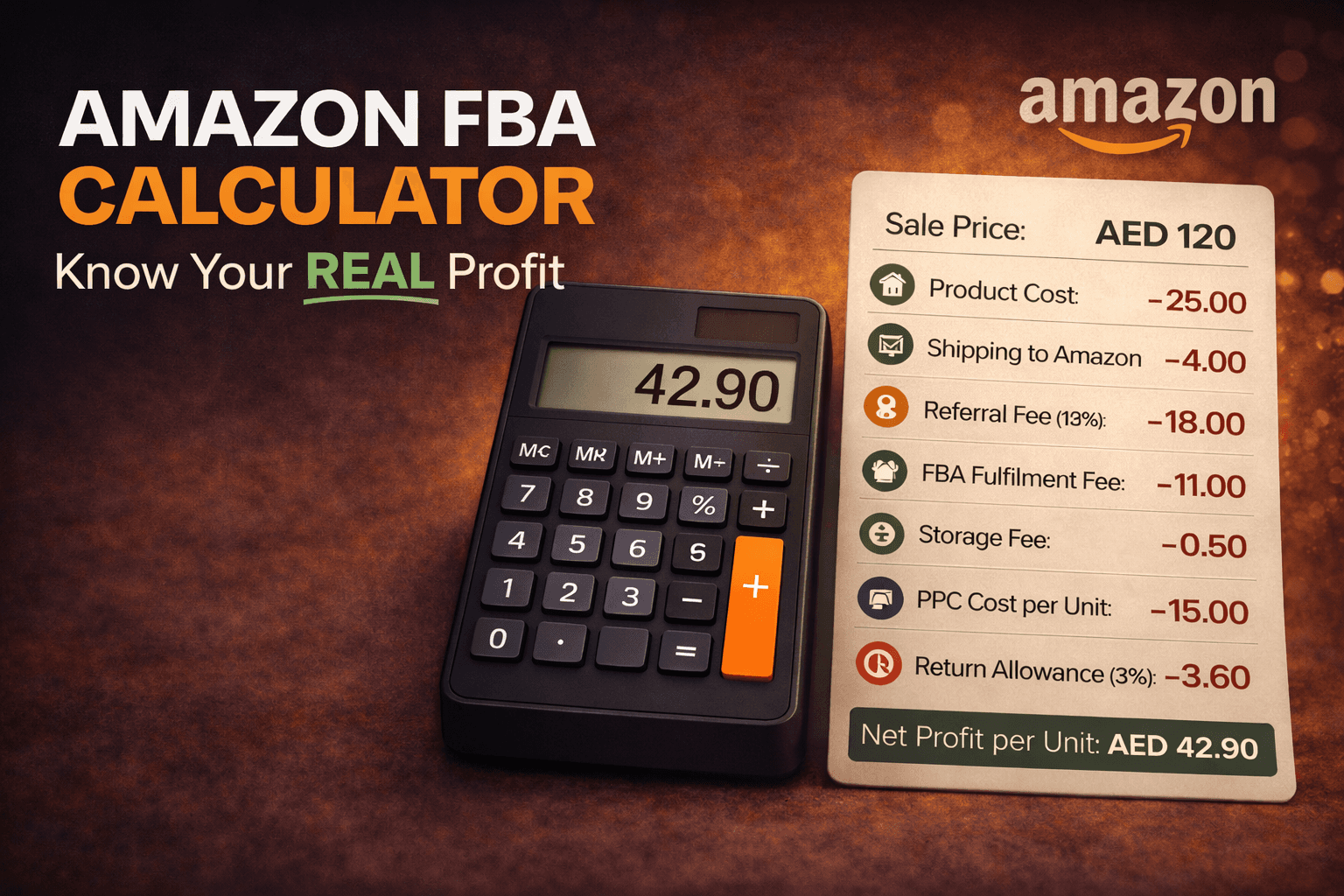
Selling price: AED 120
Product cost: AED 25
Shipping to Amazon: AED 4
Referral fee (15%): AED 18
FBA fulfilment fee: AED 11
Storage fee: AED 0.50
PPC cost per unit: AED 15
Return allowance (3%): AED 3.60
Net profit per unit: AED 42.90 (35.75% margin)
For most private-label sellers, a net margin above 25% is typically considered healthy, as it allows room for advertising costs and pricing pressure.
Red Flags in Your Fee Calculation
If your calculation reveals any of these, reconsider the product:
Net margin below 20%. Too little room for error. One cost increase or price drop from a competitor could push you into unprofitable territory.
FBA fees exceeding 25% of selling price. Your product might be too heavy, too large, or priced too low for the category.
PPC cost per unit exceeding 20% of selling price. You'll need to either improve your conversion rate (better listing) or find less competitive keywords.
Product cost exceeding 30% of selling price. Your sourcing costs are too high relative to what the market will bear.
A common pattern we see with new sellers is underestimating how quickly these thresholds shrink margins once advertising and logistics costs are factored in.
How to Increase Profit Without Raising Your Price
Price your product strategically: Don't race to the bottom. A well-optimised listing with strong images and reviews can command a premium price.
Reduce product cost: Negotiate with your supplier as your order volumes increase. A 10% reduction in product cost goes straight to your bottom line. If you need support managing supplier negotiations and day-to-day operations, an Amazon account management service can handle this for you.
Optimise your packaging: Smaller, lighter packaging means lower FBA fees. Work with your supplier to minimise package size without compromising product protection.
Manage inventory efficiently: Don't overstock. A common guideline is to hold around 6-8 weeks of inventory in FBA, though this depends on lead times and sales velocity. Avoid long-term storage fees while preventing stockouts.
Improve your conversion rate: Better listings mean more sales per click, which means lower PPC cost per unit and higher overall profitability. Our product listing optimisation programme is built specifically to improve conversions and reduce wasted ad spend.
Reduce returns: Address common complaint themes from your reviews. Better product descriptions and accurate sizing information reduce return rates.
Common Fee Calculation Mistakes
For most sellers we advise, PPC is the cost that surprises them most. But it's far from the only one that gets overlooked:
Forgetting to include PPC costs: This is one of the biggest expenses for most sellers and it's easy to overlook when projecting margins.
Ignoring shipping costs to Amazon: Whether it's freight from China or a local courier, this cost matters.
Not accounting for VAT: If applicable, make sure you factor in VAT obligations.
Using optimistic sales assumptions: Calculate your margins at your base selling price, not a hopeful premium price.
Overlooking return costs: Returns don't just cost you the refund. Amazon typically refunds most of the referral fee, but deducts a refund administration fee when processing returns. You may also incur return shipping and restocking costs.
The One Thing Profitable Sellers Have in Common
Fee calculation isn't the exciting part of selling on Amazon. But it's the part that determines whether you actually make money. Every successful seller we've worked with has one thing in common: they know their numbers inside and out.
Run the calculator before you source a product. Run it again before you place a large order. And keep running it as your costs and prices evolve. Your margins will thank you.
Before you commit to your next product, make sure the numbers work. Amazon Sellers Society helps sellers validate margins, reduce costs, and avoid unprofitable launches. If you're unsure whether your product is actually profitable, we'll break down your numbers and show you exactly where your margins stand before you invest.
Frequently Asked Questions
Does the Amazon FBA Calculator include all costs?
No. It includes Amazon fees like referral and fulfilment, but it does not account for PPC, returns, or shipping to Amazon, which must be added manually.
What is a good profit margin for Amazon FBA sellers?
For most private-label sellers, a net margin above 25% is considered healthy enough to absorb advertising costs and price competition.
How accurate is the FBA Calculator?
It provides reliable estimates for Amazon fees, but actual profitability depends on your real costs, especially advertising and logistics.
Should I include PPC costs when calculating margins?
Yes. PPC is often one of the largest expenses, and ignoring it can significantly overestimate your profitability.
Why are my actual profits lower than the calculator estimate?
Common reasons include higher-than-expected ad costs, returns, storage fees, or pricing pressure from competitors.
Can I use the FBA Calculator for new products that aren't listed on Amazon yet?
Yes. You can manually enter your product's size, weight, and category to estimate fees. While it won't be exact, it gives a reliable baseline to assess whether the product is worth pursuing before launch.
If you don't understand your Amazon fees, you don't understand your business. It's that simple. Too many sellers launch products based on a rough guess of their margins, only to discover months later that Amazon's fees have eaten most of their profit. If you're still getting started, our complete guide to selling on Amazon covers the full process.
The Amazon FBA Calculator is your best friend here. This guide explains every fee you'll encounter, how to use the calculator, and how to make sure your product is actually profitable before you invest.
Why Most Amazon Sellers Get Their Margins Wrong
Let's say you source a product for AED 20 and sell it for AED 100. That looks like an AED 80 profit, right? Not even close. Here's what actually happens:
Referral fee (15%): AED 15
FBA fulfilment fee: AED 10
Monthly storage fee: AED 0.50
Shipping to Amazon FBA: AED 3
PPC advertising cost per unit: AED 12
Your actual profit per unit: AED 59.50, not AED 80. And that's before returns, refunds, or any long-term storage fees.
When fees aren't calculated properly, sellers usually face the same outcome: margins that don't match expectations. This is entirely avoidable with proper cost modelling.
The Amazon Fees You Need to Know
Referral Fee: Amazon takes a percentage of every sale. The rate depends on the product category, but most categories are charged at 15%. Some categories (like electronics) have lower rates, while others may be higher.
This fee applies whether you use FBA or fulfil orders yourself. It's essentially Amazon's commission for giving you access to their marketplace and customers.
FBA Fulfilment Fee: This covers Amazon picking your product from the warehouse shelf, packing it, and shipping it to the customer. The fee is based on the product's size and weight.
For standard-size items:
Under 250g: approximately AED 7-9
250g-500g: approximately AED 8-11
500g-1kg: approximately AED 10-14
Over 1kg: fees increase with weight
Oversized items have significantly higher fulfilment fees, which is why most sellers stick to standard-size products. These are approximate ranges and vary by marketplace, product dimensions, and Amazon's current fee structure.
Monthly Storage Fee: Amazon charges for the warehouse space your inventory occupies. Fees are calculated based on the volume of space your products take up (per cubic metre per month).
Standard rates apply from January to September. Fees increase during Q4 (October to December) because warehouse space is at a premium during the holiday shopping season.
Long-Term Storage Fee: Inventory that sits in Amazon's warehouse for more than 365 days incurs a surcharge. This is designed to discourage sellers from using Amazon as long-term storage. Keep your inventory moving to avoid this.
Removal and Disposal Fees: If you need to pull inventory out of Amazon's warehouse (to send it back to you or dispose of it), there's a per-unit fee. It's small individually, but adds up when clearing large quantities.
Closing Fee (Media items only): Books, DVDs, and other media items have an additional closing fee per item sold.
How to Use the Amazon FBA Calculator
Amazon provides a free FBA Calculator within Seller Central. Here's how to use it:
Step 1: Find the calculator. In Seller Central, search for "FBA Revenue Calculator" or navigate to it through the FBA tools section.
Step 2: Enter your product. You can search for an existing product on Amazon or enter your product details manually (dimensions, weight, category).
Step 3: Enter your selling price. Put in the price you plan to sell at.
Step 4: Enter your costs. Input your product cost (what you pay your supplier per unit) and any additional costs like shipping to Amazon.
Step 5: Review the breakdown. The calculator will show you:
Referral fee
FBA fulfilment fee
Estimated monthly storage fee
Your net proceeds after all Amazon fees
Your estimated margin
Step 6: Compare scenarios. Adjust your selling price, product cost, or fulfilment method (FBA vs FBM) to see how each change affects your margins.
How to Calculate What You Actually Keep Per Sale
The FBA Calculator gives you a good starting point, but it doesn't include every cost. Using the fees explained above, here's how they come together with your other costs to determine real profitability:
Product cost: What you pay your supplier per unit, including any customisation or branding.
Shipping to Amazon: The cost of getting your products from your supplier (or your warehouse) to Amazon's fulfilment centre. This includes freight forwarding, customs duties, and last-mile delivery.
Amazon referral fee: Typically 15% of selling price.
FBA fulfilment fee: Based on size and weight.
Storage fees: Monthly and long-term (if applicable).
PPC advertising cost per unit: Divide your total PPC spend by the number of units sold. For many sellers, this ranges between AED 5-20 per unit, though highly competitive categories can exceed this.
Returns and refunds: Typically 2-5% for many categories, though some niches (such as apparel or electronics) may have significantly higher return rates.
Here's a practical formula:
Net Profit Per Unit = Selling Price - Product Cost - Shipping to Amazon - Referral Fee - FBA Fee - Storage Fee - PPC Cost Per Unit - Return Allowance
Example:
Selling price: AED 120
Product cost: AED 25
Shipping to Amazon: AED 4
Referral fee (15%): AED 18
FBA fulfilment fee: AED 11
Storage fee: AED 0.50
PPC cost per unit: AED 15
Return allowance (3%): AED 3.60
Net profit per unit: AED 42.90 (35.75% margin)
For most private-label sellers, a net margin above 25% is typically considered healthy, as it allows room for advertising costs and pricing pressure.
Red Flags in Your Fee Calculation
If your calculation reveals any of these, reconsider the product:
Net margin below 20%. Too little room for error. One cost increase or price drop from a competitor could push you into unprofitable territory.
FBA fees exceeding 25% of selling price. Your product might be too heavy, too large, or priced too low for the category.
PPC cost per unit exceeding 20% of selling price. You'll need to either improve your conversion rate (better listing) or find less competitive keywords.
Product cost exceeding 30% of selling price. Your sourcing costs are too high relative to what the market will bear.
A common pattern we see with new sellers is underestimating how quickly these thresholds shrink margins once advertising and logistics costs are factored in.
How to Increase Profit Without Raising Your Price
Price your product strategically: Don't race to the bottom. A well-optimised listing with strong images and reviews can command a premium price.
Reduce product cost: Negotiate with your supplier as your order volumes increase. A 10% reduction in product cost goes straight to your bottom line. If you need support managing supplier negotiations and day-to-day operations, an Amazon account management service can handle this for you.
Optimise your packaging: Smaller, lighter packaging means lower FBA fees. Work with your supplier to minimise package size without compromising product protection.
Manage inventory efficiently: Don't overstock. A common guideline is to hold around 6-8 weeks of inventory in FBA, though this depends on lead times and sales velocity. Avoid long-term storage fees while preventing stockouts.
Improve your conversion rate: Better listings mean more sales per click, which means lower PPC cost per unit and higher overall profitability. Our product listing optimisation programme is built specifically to improve conversions and reduce wasted ad spend.
Reduce returns: Address common complaint themes from your reviews. Better product descriptions and accurate sizing information reduce return rates.
Common Fee Calculation Mistakes
For most sellers we advise, PPC is the cost that surprises them most. But it's far from the only one that gets overlooked:
Forgetting to include PPC costs: This is one of the biggest expenses for most sellers and it's easy to overlook when projecting margins.
Ignoring shipping costs to Amazon: Whether it's freight from China or a local courier, this cost matters.
Not accounting for VAT: If applicable, make sure you factor in VAT obligations.
Using optimistic sales assumptions: Calculate your margins at your base selling price, not a hopeful premium price.
Overlooking return costs: Returns don't just cost you the refund. Amazon typically refunds most of the referral fee, but deducts a refund administration fee when processing returns. You may also incur return shipping and restocking costs.
The One Thing Profitable Sellers Have in Common
Fee calculation isn't the exciting part of selling on Amazon. But it's the part that determines whether you actually make money. Every successful seller we've worked with has one thing in common: they know their numbers inside and out.
Run the calculator before you source a product. Run it again before you place a large order. And keep running it as your costs and prices evolve. Your margins will thank you.
Before you commit to your next product, make sure the numbers work. Amazon Sellers Society helps sellers validate margins, reduce costs, and avoid unprofitable launches. If you're unsure whether your product is actually profitable, we'll break down your numbers and show you exactly where your margins stand before you invest.
Frequently Asked Questions
Does the Amazon FBA Calculator include all costs?
No. It includes Amazon fees like referral and fulfilment, but it does not account for PPC, returns, or shipping to Amazon, which must be added manually.
What is a good profit margin for Amazon FBA sellers?
For most private-label sellers, a net margin above 25% is considered healthy enough to absorb advertising costs and price competition.
How accurate is the FBA Calculator?
It provides reliable estimates for Amazon fees, but actual profitability depends on your real costs, especially advertising and logistics.
Should I include PPC costs when calculating margins?
Yes. PPC is often one of the largest expenses, and ignoring it can significantly overestimate your profitability.
Why are my actual profits lower than the calculator estimate?
Common reasons include higher-than-expected ad costs, returns, storage fees, or pricing pressure from competitors.
Can I use the FBA Calculator for new products that aren't listed on Amazon yet?
Yes. You can manually enter your product's size, weight, and category to estimate fees. While it won't be exact, it gives a reliable baseline to assess whether the product is worth pursuing before launch.
Ready to grow your Amazon business with Expert Guidance?
Join 1000+ growing network of Amazon entrepreneurs building real, profitable brands.
THINK
BIG!
SELL
BIGGER!!





sellerssociety©️2026
All Rights Reserved
Ready to grow your Amazon business with Expert Guidance?
Join 1000+ growing network of Amazon entrepreneurs building real, profitable brands.
THINK
BIG!
SELL
BIGGER!!
sellerssociety©️2026
All Rights Reserved
Ready to grow your Amazon business with Expert Guidance?
Join 1000+ growing network of Amazon entrepreneurs building real, profitable brands.
THINK
BIG!
SELL
BIGGER!!
sellerssociety©️2026
All Rights Reserved