
Amazon FBA Guide
How to Ship Products to Amazon FBA
How to Ship Products to Amazon FBA
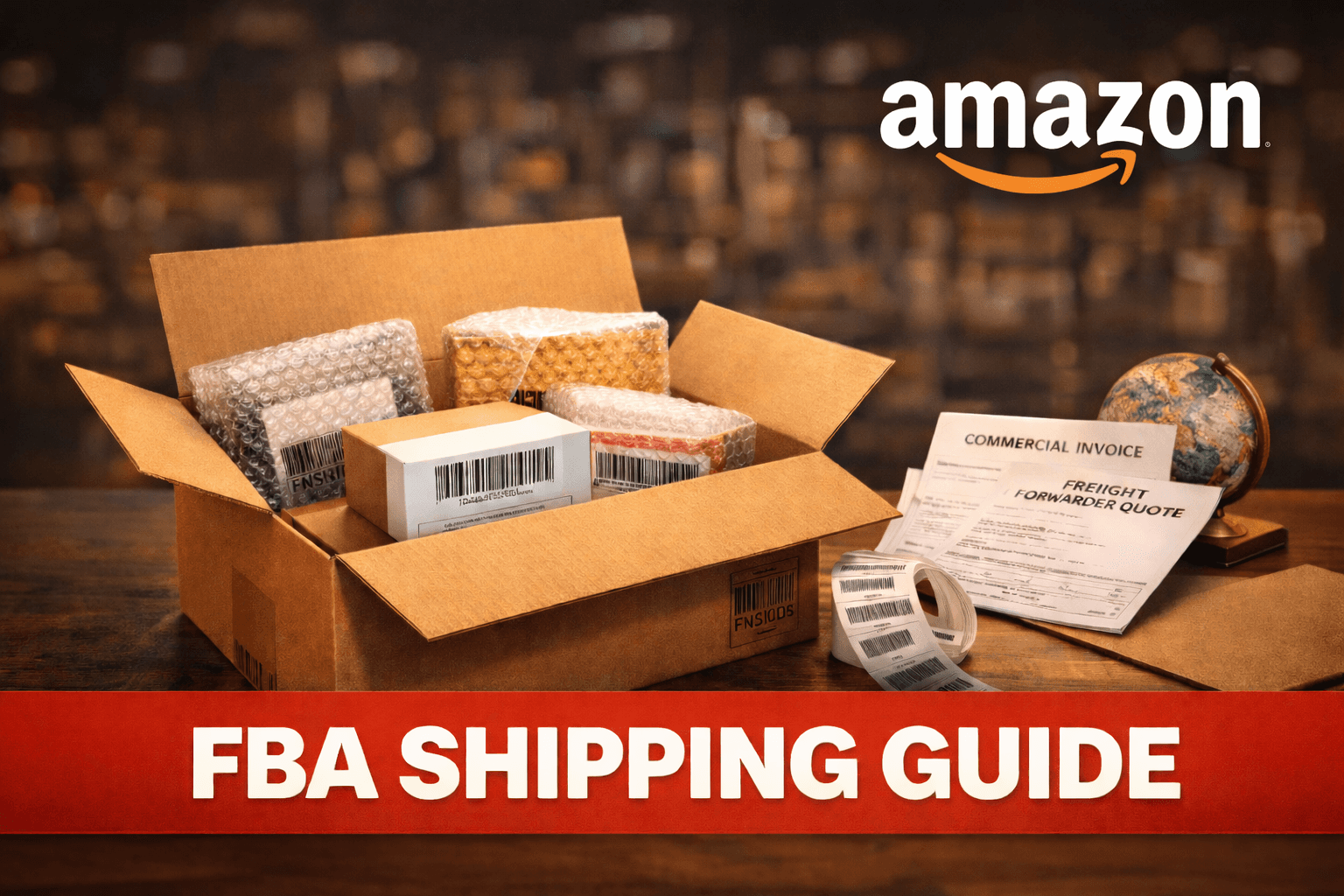
Getting your products into Amazon's fulfilment centre is a critical step, and one that trips up a lot of new sellers. Incorrect labelling, wrong box dimensions, or missing paperwork can delay your launch by days, or even weeks.
From creating your first shipping plan to navigating customs and choosing the right freight forwarder, there are several steps that need to be done correctly to avoid delays. Small mistakes at any stage can lead to rejected shipments, stranded inventory, or unexpected fees.
This guide walks you through the entire FBA shipping process, from preparing your products to tracking delivery at the fulfilment centre.
Step 1: What You Need Before Sending Inventory to Amazon
Before you create a shipping plan, make sure you have everything ready. If you're still deciding what to sell, see our guide on what to sell on Amazon.
You’ll need the following:
Products ready to go: Manufactured, quality-checked, and packaged according to Amazon's requirements.
FNSKU labels: You'll need FNSKU barcode labels for your units (explained in Step 4). Alternatively, manufacturer barcodes can be used if you enable commingled inventory, though FNSKU labelling is recommended.
Shipping supplies: Boxes, tape, and protective packaging materials. There are strict limits on box size and weight, so it's important to check the guidelines before packing.
A Seller Central account with FBA enabled: If you haven't enrolled in FBA yet, register your Amazon seller account first.
Step 2: Set Up Your Product Listing
Before you can ship inventory to Amazon, you need an active product listing. Create your listing in Seller Central with:
Product title, bullet points, and description
Images uploaded
Price set
Product identifiers (UPC, EAN, or GTIN)
Once your listing is live, you can convert it to FBA fulfilment by selecting "Change to Fulfilled by Amazon" in your inventory settings. If you need help optimising your listing before shipping, see our accelerator program for additional support.
Step 3: Create a Shipping Plan
Once your listing is ready, the next step is to create your shipping plan.
In Seller Central, go to Inventory > Manage FBA Shipments > Create Shipping Plan.
You'll need to provide:
Ship from address Where the products are shipping from (your warehouse, your supplier's location, or your freight forwarder's facility).
Products and quantities Select the products you're sending and how many units of each.
Packing type Individual products (each box contains one type of product) or case-packed (multiple units of the same product in each case).
Your shipment will then be assigned to one or more fulfilment centres. Many sellers are surprised by how often shipments get split across multiple warehouses. You can pay a fee to use Amazon's inventory placement service to consolidate shipments to a single location.
For larger shipments, Amazon distinguishes between Small Parcel Delivery (SPD) and Less Than Truckload (LTL), each with different requirements and pricing.
Step 4: Prepare Your Products to Meet Amazon's Requirements
Preparation standards are strict. If your products don't meet them, they may be rejected or incur additional prep fees.
Labelling: Most sellers use FNSKU barcode labels on every unit to avoid commingling. This replaces the manufacturer's barcode and ensures your inventory can be identified and tracked accurately. If you prefer to use manufacturer barcodes, you can enable commingled inventory, though FNSKU labelling is recommended.
Print FNSKU labels from Seller Central and apply them to each unit, covering any existing barcodes. Labels must be scannable and not wrinkled, smudged, or covered by packaging. One of the most common delays happens when labels don't fully cover the manufacturer barcode, causing scanning errors during check-in.
Packaging requirements:
- Products must be packaged so they arrive at the fulfilment centre undamaged
- Liquids must be sealed and bagged to prevent leaks
- Sharp items must be properly protected
- Fragile items must have adequate cushioning
- Products with multiple components must be bundled or bagged together
Poly bagging: Some products require poly bags (clear plastic bags) for protection. If the opening of the bag is larger than 12.7cm, it must have a suffocation warning.
Bubble wrap: Required for fragile items. Must be wrapped tightly enough that the product doesn't shift inside.
Step 5: Pack Your Boxes
There are specific requirements for how your shipping boxes must be packed:
Box weight: Maximum 23kg per box (50 pounds). For boxes containing a single oversized item, the limit is 34kg.
Box dimensions: No single side should exceed 63.5cm unless the box contains a single oversized item.
Box condition: Boxes must be new and in good condition. Damaged or reused packaging with old labels won't be accepted.
Packing materials: Use appropriate void fill (air pillows, packing paper, bubble wrap) to prevent products from shifting during transit. Avoid loose fill materials such as packing peanuts or shredded paper. Structured protective materials (such as foam inserts) are acceptable.
Box contents: Including a packing slip is optional and can help with internal tracking, but Amazon primarily relies on shipment details submitted in Seller Central.
Step 6: Label Your Boxes
Each box needs an FBA shipment label, which you print from Seller Central after creating your shipping plan. These labels tell Amazon which shipment the box belongs to and where to route it.
Apply the label to a flat surface on the box where it's clearly visible and scannable. Don't place it on a box seam, and don't cover it with tape (use clear tape only if necessary, without overlapping the barcode).
Step 7: Choose Your Shipping Method
Before finalising your shipment, you'll also need to decide how it will be transported to the fulfilment centre. How you ship depends on where your products are coming from:
Shipping from within the country (local): Use a local courier service (Aramex, DHL, FedEx, or Amazon's partnered carrier). Amazon's partnered carrier rates are often competitive, particularly for small parcel shipments, but may not always be the lowest option for larger freight. These rates are available directly through Seller Central when you create your shipping plan.
Shipping from overseas (international): If you're importing from overseas (commonly China), you'll typically work with a freight forwarder. The two main shipping methods are:
Sea freight: Cheaper but slower (15 to 30 days door-to-door). Best for large shipments where time isn't critical.
Air freight: Faster (typically 5 to 10 days, depending on routing and customs clearance) but more expensive. Best for smaller shipments or when you need inventory quickly.
Choosing a freight forwarder: Look for a forwarder experienced with Amazon FBA shipments. They should handle:
- Pickup from your supplier's factory
- Export customs clearance
- International shipping (sea or air)
- Import customs clearance and duty payment
- Last-mile delivery to Amazon's fulfilment centre
Avoid forwarders unfamiliar with FBA labelling and delivery requirements. Ask specifically if they've handled FBA shipments before, as a forwarder who doesn't understand Amazon's requirements can cause expensive errors and hold-ups.
If you're unsure how to vet a freight forwarder, working with experienced FBA operators can help avoid costly setup mistakes.
Get quotes from at least three forwarders and compare on price, transit time, and experience with Amazon shipments.
Step 8: Handle Customs and Duties
If you're importing products from overseas, you'll need to pay customs duties and possibly VAT or sales tax on import. Duties and taxes vary significantly by country and product category, so check the rules for your specific market.
Customs duties: Vary by product type and country of origin. For example, in the UAE, most goods attract a 5% customs duty on the declared value. Duties in other markets will differ.
VAT/Sales tax: Tax on imported goods varies by country. In the UAE, 5% VAT applies. If you're VAT-registered, you can typically reclaim this as input VAT.
Documentation needed:
Commercial invoice from your supplier
Packing list
Bill of lading or airway bill
Certificate of origin (if applicable)
Your freight forwarder will handle customs clearance on your behalf, but make sure all documentation is accurate. Incorrect declarations can cause delays, additional inspections, and penalties.
Step 9: Track Your Shipment
Once your shipment is on its way to Amazon, you can track its status in Seller Central:
Shipped: You've confirmed the shipment and it's in transit.
Delivered: The shipment has arrived at the fulfilment centre.
Checked in: Your inventory is now being received and processed.
Receiving: Amazon is scanning, shelving, and making your products available for sale.
Initial receiving may begin within a few days of delivery, but full check-in and availability can take longer, especially during peak periods. During Q4 in particular, some sellers report receiving times of 10 to 14 days or more, so plan your inventory levels accordingly.
Common FBA Shipping Mistakes to Avoid
Missing or incorrect FNSKU labels: Double-check every label is correct and scannable. One wrong label can send your product to the wrong listing or cause it to be set aside for manual processing.
Exceeding box weight limits: Boxes over 23kg may be refused or incur non-compliance fees unless they contain a single oversized item. Weigh your boxes before shipping.
Using the wrong box size: Oversized or undersized boxes cause problems. Match box size to contents.
Shipping to the wrong fulfilment centre: Always use the address assigned in your shipping plan. Sending inventory to the wrong location causes significant delays.
Not reviewing box content information: Ensure the shipment details submitted in Seller Central accurately match the contents of each box to avoid check-in delays.
Choosing the cheapest freight forwarder without considering experience: A forwarder who doesn't understand FBA requirements can cause problems that cost more than the savings. Pay a little more for expertise.
Underestimating transit times: Plan your shipments well in advance. Running out of stock because your shipment was delayed is one of the most common and damaging mistakes for new sellers.
Practical Tips for Smooth FBA Shipping
Create a standard operating procedure (SOP) for your shipping process so it's consistent every time
Build buffer time into your shipping schedule, and plan for delays
Always print 10 to 15% extra FNSKU labels per batch, as damaged or misprinted labels are more common than expected
Order FNSKU labels and packaging materials in advance
Inspect your products before shipping (use a third-party inspection service for overseas manufacturing)
Keep detailed records of all shipping costs for margin analysis
Start planning your next shipment before your current inventory runs out
Shipping to Amazon FBA becomes much easier once you've gone through the process a few times. The key is getting it right from the start: correct labelling, proper packaging, and a reliable shipping method.
Invest time in finding a good freight forwarder if you're importing internationally. The right partner makes the entire process smoother and prevents problems down the line.
For a broader overview of the entire selling process, see our complete guide to selling on Amazon.
If you want to reduce delays and get your inventory live faster, working with experienced FBA operators can make a significant difference. Amazon Sellers Society helps you set up your shipping process correctly from day one, so you don't lose time fixing preventable mistakes.
Frequently Asked Questions
How long does it take Amazon to receive and process FBA inventory?
Initial receiving may begin within a few days of delivery, but full check-in and availability can take longer. During peak periods like Q4, expect additional delays. Plan your inventory levels to account for this.
Can I ship products directly from my supplier to Amazon's fulfilment centre?
Yes, many sellers ship directly from their manufacturer or freight forwarder to the fulfilment centre. Your supplier or forwarder will need to follow Amazon's labelling and packaging requirements exactly.
What happens if Amazon rejects my FBA shipment?
Rejected shipments may be returned, disposed of, or corrected through Amazon's prep services (fees apply) at your expense, or Amazon may charge a prep fee to fix non-compliant items. Common reasons include incorrect FNSKU labels, damaged packaging, or boxes exceeding weight limits.
Do I need a freight forwarder to ship to Amazon FBA?
If you're shipping from within the same country, a standard courier or Amazon's partnered carrier is usually sufficient. For international shipments, a freight forwarder experienced with FBA is strongly recommended to handle customs, documentation, and last-mile delivery.
How can I avoid my shipment being split across multiple fulfilment centres?
Amazon may split shipments by default. You can use the Inventory Placement Service for a fee to consolidate your shipment to a single location, which simplifies logistics but adds cost.
Do I need to palletise my shipment when sending inventory to Amazon FBA?
Only for larger shipments. Small parcel deliveries (SPD) don't require pallets, but LTL or full truckload shipments must be palletised and labelled correctly.
Getting your products into Amazon's fulfilment centre is a critical step, and one that trips up a lot of new sellers. Incorrect labelling, wrong box dimensions, or missing paperwork can delay your launch by days, or even weeks.
From creating your first shipping plan to navigating customs and choosing the right freight forwarder, there are several steps that need to be done correctly to avoid delays. Small mistakes at any stage can lead to rejected shipments, stranded inventory, or unexpected fees.
This guide walks you through the entire FBA shipping process, from preparing your products to tracking delivery at the fulfilment centre.
Step 1: What You Need Before Sending Inventory to Amazon
Before you create a shipping plan, make sure you have everything ready. If you're still deciding what to sell, see our guide on what to sell on Amazon.
You’ll need the following:
Products ready to go: Manufactured, quality-checked, and packaged according to Amazon's requirements.
FNSKU labels: You'll need FNSKU barcode labels for your units (explained in Step 4). Alternatively, manufacturer barcodes can be used if you enable commingled inventory, though FNSKU labelling is recommended.
Shipping supplies: Boxes, tape, and protective packaging materials. There are strict limits on box size and weight, so it's important to check the guidelines before packing.
A Seller Central account with FBA enabled: If you haven't enrolled in FBA yet, register your Amazon seller account first.
Step 2: Set Up Your Product Listing
Before you can ship inventory to Amazon, you need an active product listing. Create your listing in Seller Central with:
Product title, bullet points, and description
Images uploaded
Price set
Product identifiers (UPC, EAN, or GTIN)
Once your listing is live, you can convert it to FBA fulfilment by selecting "Change to Fulfilled by Amazon" in your inventory settings. If you need help optimising your listing before shipping, see our accelerator program for additional support.
Step 3: Create a Shipping Plan
Once your listing is ready, the next step is to create your shipping plan.
In Seller Central, go to Inventory > Manage FBA Shipments > Create Shipping Plan.
You'll need to provide:
Ship from address Where the products are shipping from (your warehouse, your supplier's location, or your freight forwarder's facility).
Products and quantities Select the products you're sending and how many units of each.
Packing type Individual products (each box contains one type of product) or case-packed (multiple units of the same product in each case).
Your shipment will then be assigned to one or more fulfilment centres. Many sellers are surprised by how often shipments get split across multiple warehouses. You can pay a fee to use Amazon's inventory placement service to consolidate shipments to a single location.
For larger shipments, Amazon distinguishes between Small Parcel Delivery (SPD) and Less Than Truckload (LTL), each with different requirements and pricing.
Step 4: Prepare Your Products to Meet Amazon's Requirements
Preparation standards are strict. If your products don't meet them, they may be rejected or incur additional prep fees.
Labelling: Most sellers use FNSKU barcode labels on every unit to avoid commingling. This replaces the manufacturer's barcode and ensures your inventory can be identified and tracked accurately. If you prefer to use manufacturer barcodes, you can enable commingled inventory, though FNSKU labelling is recommended.
Print FNSKU labels from Seller Central and apply them to each unit, covering any existing barcodes. Labels must be scannable and not wrinkled, smudged, or covered by packaging. One of the most common delays happens when labels don't fully cover the manufacturer barcode, causing scanning errors during check-in.
Packaging requirements:
- Products must be packaged so they arrive at the fulfilment centre undamaged
- Liquids must be sealed and bagged to prevent leaks
- Sharp items must be properly protected
- Fragile items must have adequate cushioning
- Products with multiple components must be bundled or bagged together
Poly bagging: Some products require poly bags (clear plastic bags) for protection. If the opening of the bag is larger than 12.7cm, it must have a suffocation warning.
Bubble wrap: Required for fragile items. Must be wrapped tightly enough that the product doesn't shift inside.
Step 5: Pack Your Boxes
There are specific requirements for how your shipping boxes must be packed:
Box weight: Maximum 23kg per box (50 pounds). For boxes containing a single oversized item, the limit is 34kg.
Box dimensions: No single side should exceed 63.5cm unless the box contains a single oversized item.
Box condition: Boxes must be new and in good condition. Damaged or reused packaging with old labels won't be accepted.
Packing materials: Use appropriate void fill (air pillows, packing paper, bubble wrap) to prevent products from shifting during transit. Avoid loose fill materials such as packing peanuts or shredded paper. Structured protective materials (such as foam inserts) are acceptable.
Box contents: Including a packing slip is optional and can help with internal tracking, but Amazon primarily relies on shipment details submitted in Seller Central.
Step 6: Label Your Boxes
Each box needs an FBA shipment label, which you print from Seller Central after creating your shipping plan. These labels tell Amazon which shipment the box belongs to and where to route it.
Apply the label to a flat surface on the box where it's clearly visible and scannable. Don't place it on a box seam, and don't cover it with tape (use clear tape only if necessary, without overlapping the barcode).
Step 7: Choose Your Shipping Method
Before finalising your shipment, you'll also need to decide how it will be transported to the fulfilment centre. How you ship depends on where your products are coming from:
Shipping from within the country (local): Use a local courier service (Aramex, DHL, FedEx, or Amazon's partnered carrier). Amazon's partnered carrier rates are often competitive, particularly for small parcel shipments, but may not always be the lowest option for larger freight. These rates are available directly through Seller Central when you create your shipping plan.
Shipping from overseas (international): If you're importing from overseas (commonly China), you'll typically work with a freight forwarder. The two main shipping methods are:
Sea freight: Cheaper but slower (15 to 30 days door-to-door). Best for large shipments where time isn't critical.
Air freight: Faster (typically 5 to 10 days, depending on routing and customs clearance) but more expensive. Best for smaller shipments or when you need inventory quickly.
Choosing a freight forwarder: Look for a forwarder experienced with Amazon FBA shipments. They should handle:
- Pickup from your supplier's factory
- Export customs clearance
- International shipping (sea or air)
- Import customs clearance and duty payment
- Last-mile delivery to Amazon's fulfilment centre
Avoid forwarders unfamiliar with FBA labelling and delivery requirements. Ask specifically if they've handled FBA shipments before, as a forwarder who doesn't understand Amazon's requirements can cause expensive errors and hold-ups.
If you're unsure how to vet a freight forwarder, working with experienced FBA operators can help avoid costly setup mistakes.
Get quotes from at least three forwarders and compare on price, transit time, and experience with Amazon shipments.
Step 8: Handle Customs and Duties
If you're importing products from overseas, you'll need to pay customs duties and possibly VAT or sales tax on import. Duties and taxes vary significantly by country and product category, so check the rules for your specific market.
Customs duties: Vary by product type and country of origin. For example, in the UAE, most goods attract a 5% customs duty on the declared value. Duties in other markets will differ.
VAT/Sales tax: Tax on imported goods varies by country. In the UAE, 5% VAT applies. If you're VAT-registered, you can typically reclaim this as input VAT.
Documentation needed:
Commercial invoice from your supplier
Packing list
Bill of lading or airway bill
Certificate of origin (if applicable)
Your freight forwarder will handle customs clearance on your behalf, but make sure all documentation is accurate. Incorrect declarations can cause delays, additional inspections, and penalties.
Step 9: Track Your Shipment
Once your shipment is on its way to Amazon, you can track its status in Seller Central:
Shipped: You've confirmed the shipment and it's in transit.
Delivered: The shipment has arrived at the fulfilment centre.
Checked in: Your inventory is now being received and processed.
Receiving: Amazon is scanning, shelving, and making your products available for sale.
Initial receiving may begin within a few days of delivery, but full check-in and availability can take longer, especially during peak periods. During Q4 in particular, some sellers report receiving times of 10 to 14 days or more, so plan your inventory levels accordingly.
Common FBA Shipping Mistakes to Avoid
Missing or incorrect FNSKU labels: Double-check every label is correct and scannable. One wrong label can send your product to the wrong listing or cause it to be set aside for manual processing.
Exceeding box weight limits: Boxes over 23kg may be refused or incur non-compliance fees unless they contain a single oversized item. Weigh your boxes before shipping.
Using the wrong box size: Oversized or undersized boxes cause problems. Match box size to contents.
Shipping to the wrong fulfilment centre: Always use the address assigned in your shipping plan. Sending inventory to the wrong location causes significant delays.
Not reviewing box content information: Ensure the shipment details submitted in Seller Central accurately match the contents of each box to avoid check-in delays.
Choosing the cheapest freight forwarder without considering experience: A forwarder who doesn't understand FBA requirements can cause problems that cost more than the savings. Pay a little more for expertise.
Underestimating transit times: Plan your shipments well in advance. Running out of stock because your shipment was delayed is one of the most common and damaging mistakes for new sellers.
Practical Tips for Smooth FBA Shipping
Create a standard operating procedure (SOP) for your shipping process so it's consistent every time
Build buffer time into your shipping schedule, and plan for delays
Always print 10 to 15% extra FNSKU labels per batch, as damaged or misprinted labels are more common than expected
Order FNSKU labels and packaging materials in advance
Inspect your products before shipping (use a third-party inspection service for overseas manufacturing)
Keep detailed records of all shipping costs for margin analysis
Start planning your next shipment before your current inventory runs out
Shipping to Amazon FBA becomes much easier once you've gone through the process a few times. The key is getting it right from the start: correct labelling, proper packaging, and a reliable shipping method.
Invest time in finding a good freight forwarder if you're importing internationally. The right partner makes the entire process smoother and prevents problems down the line.
For a broader overview of the entire selling process, see our complete guide to selling on Amazon.
If you want to reduce delays and get your inventory live faster, working with experienced FBA operators can make a significant difference. Amazon Sellers Society helps you set up your shipping process correctly from day one, so you don't lose time fixing preventable mistakes.
Frequently Asked Questions
How long does it take Amazon to receive and process FBA inventory?
Initial receiving may begin within a few days of delivery, but full check-in and availability can take longer. During peak periods like Q4, expect additional delays. Plan your inventory levels to account for this.
Can I ship products directly from my supplier to Amazon's fulfilment centre?
Yes, many sellers ship directly from their manufacturer or freight forwarder to the fulfilment centre. Your supplier or forwarder will need to follow Amazon's labelling and packaging requirements exactly.
What happens if Amazon rejects my FBA shipment?
Rejected shipments may be returned, disposed of, or corrected through Amazon's prep services (fees apply) at your expense, or Amazon may charge a prep fee to fix non-compliant items. Common reasons include incorrect FNSKU labels, damaged packaging, or boxes exceeding weight limits.
Do I need a freight forwarder to ship to Amazon FBA?
If you're shipping from within the same country, a standard courier or Amazon's partnered carrier is usually sufficient. For international shipments, a freight forwarder experienced with FBA is strongly recommended to handle customs, documentation, and last-mile delivery.
How can I avoid my shipment being split across multiple fulfilment centres?
Amazon may split shipments by default. You can use the Inventory Placement Service for a fee to consolidate your shipment to a single location, which simplifies logistics but adds cost.
Do I need to palletise my shipment when sending inventory to Amazon FBA?
Only for larger shipments. Small parcel deliveries (SPD) don't require pallets, but LTL or full truckload shipments must be palletised and labelled correctly.
Ready to grow your Amazon business with Expert Guidance?
Join 1000+ growing network of Amazon entrepreneurs building real, profitable brands.
THINK
BIG!
SELL
BIGGER!!





sellerssociety©️2026
All Rights Reserved
Ready to grow your Amazon business with Expert Guidance?
Join 1000+ growing network of Amazon entrepreneurs building real, profitable brands.
THINK
BIG!
SELL
BIGGER!!
sellerssociety©️2026
All Rights Reserved
Ready to grow your Amazon business with Expert Guidance?
Join 1000+ growing network of Amazon entrepreneurs building real, profitable brands.
THINK
BIG!
SELL
BIGGER!!
sellerssociety©️2026
All Rights Reserved